
Modern teams spend countless hours in meetings, yet much of the value discussed in those conversations is lost in scattered notes, forgotten action items, or unclear summaries. As organizations continue to adopt hybrid and remote work models, the need for accurate meeting records and clear follow-ups has never been greater. This is where AI-powered transcription and summarization tools are reshaping how teams capture, organize, and act on information.
TLDR: AI meeting transcription and summarization tools automatically record, transcribe, and extract actionable insights from meetings. They improve team productivity by saving time on note-taking, enhancing collaboration, and ensuring accountability. Tools like Otter.ai, Fireflies.ai, Fathom, and Sembly AI each offer unique strengths, from real-time transcription to deep integrations and advanced summaries. Choosing the right one depends on team size, budget, and workflow needs.
By transforming spoken conversation into searchable, structured knowledge, these tools eliminate repetitive manual work and reduce the risk of lost information. Below are four standout meeting transcription and AI summarization platforms that significantly enhance team productivity.
1. Otter.ai
Otter.ai is one of the most recognized names in AI meeting transcription. Known for its real-time transcription capabilities, Otter automatically joins virtual meetings and generates live transcripts that participants can view as the conversation unfolds.

Key Features:
- Real-time transcription for Zoom, Google Meet, and Microsoft Teams
- Speakers identification and timestamps
- AI-generated summaries and keywords
- Collaborative note editing
- Searchable transcripts
Otter.ai improves productivity by eliminating the need for manual note-takers. Team members can focus on discussion rather than documentation. The AI-generated summary highlights key points and decisions, helping participants quickly revisit essential information without replaying the entire meeting.
For distributed teams, Otter’s shared workspaces make it easy to collaborate on notes and tag colleagues for follow-up. The tool integrates with popular calendars and automatically joins scheduled meetings, ensuring nothing is missed.
2. Fireflies.ai
Fireflies.ai stands out for its robust automation and CRM integration capabilities. It not only captures meeting transcripts but also extracts actionable items and syncs them into other business tools.
Key Features:
- Automatic meeting recording and transcription
- Conversation intelligence with sentiment analysis
- Action item extraction
- CRM and project management integrations
- Custom topic tracking
Fireflies shines in sales and customer success environments. Teams can track keywords like pricing, objections, or competitor mentions. The AI categorizes discussions into topics, which helps managers review performance and identify trends.
One major productivity boost comes from automatic workflow triggers. For example, after a sales call, Fireflies can log notes directly into Salesforce or HubSpot. This removes repetitive data entry tasks and ensures accurate record-keeping.
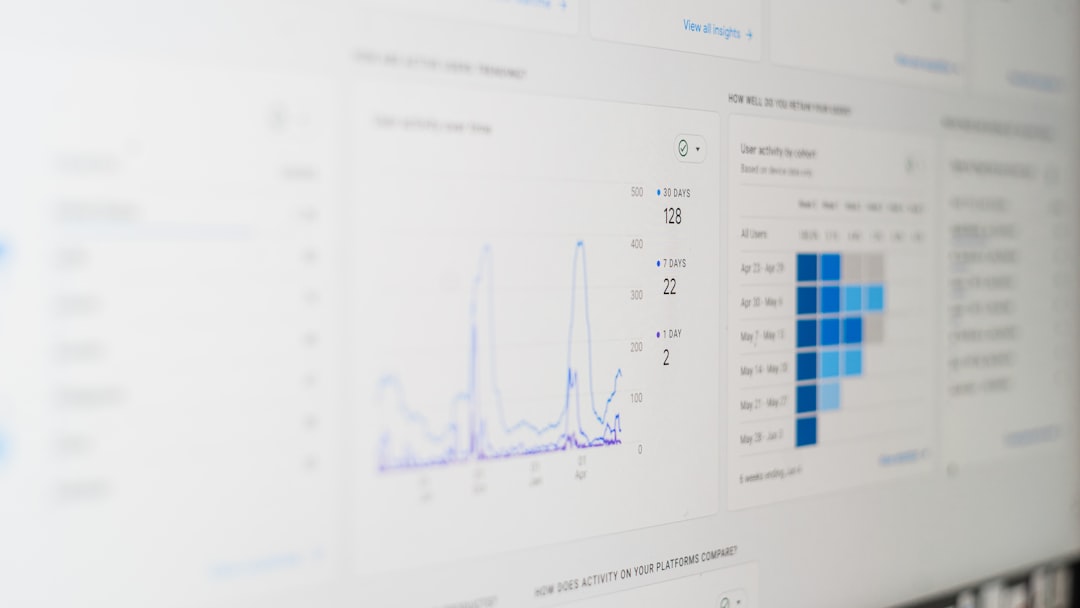
By combining transcription with analytics, Fireflies enables organizations to turn meetings into measurable insights rather than static documents.
3. Fathom
Fathom is particularly popular among Zoom users for its simplicity and user-friendly design. It allows users to highlight important moments during meetings and instantly generate shareable clips.
Key Features:
- Free meeting recording and transcription
- One-click highlight clips
- Instant AI-generated summaries
- CRM synchronization
- Easy sharing of key moments
Instead of sending entire recordings, team members can share short clips that capture crucial decisions or announcements. This saves stakeholders time and ensures alignment without requiring them to watch full meetings.
Fathom’s AI summaries are concise and structured, making it easier for teams to convert meetings into documented outcomes. For startups and small teams looking for a cost-effective solution, Fathom provides powerful features without complex setup.
4. Sembly AI
Sembly AI focuses on advanced AI summarization and multilingual capabilities. It captures meetings across major platforms and transforms discussions into structured reports.
Key Features:
- Automatic transcription in multiple languages
- Smart meeting notes with categorized sections
- Task and decision tracking
- Exportable meeting minutes
- Enterprise-grade security
Sembly generates summaries divided into segments such as issues discussed, decisions made, risks identified, and next steps. This structured approach improves clarity and eliminates ambiguity. For international teams, multilingual transcription ensures inclusivity and accurate documentation.

Sembly is particularly useful in compliance-heavy industries where formal documentation of meetings is essential.
Comparison Chart
| Tool | Best For | Real-Time Transcription | CRM Integration | AI Summaries | Unique Strength |
|---|---|---|---|---|---|
| Otter.ai | General team collaboration | Yes | Limited | Yes | Live collaborative transcripts |
| Fireflies.ai | Sales and customer success | Yes | Advanced | Yes | Conversation intelligence and analytics |
| Fathom | Startups and Zoom users | Yes | Yes | Yes | Highlight clips and free tier |
| Sembly AI | Enterprise and compliance teams | Yes | Moderate | Advanced structured summaries | Multilingual and formal documentation |
How These Tools Improve Team Productivity
1. Eliminating Manual Note-Taking
Instead of assigning someone to take notes, AI tools automatically generate transcripts and summaries. This allows every participant to stay engaged in discussion.
2. Reducing Meeting Fatigue
Concise summaries prevent the need to rewatch full recordings. Employees can review key takeaways in minutes rather than hours.
3. Improving Accountability
Clear documentation of action items and assigned tasks ensures accountability. AI-generated follow-ups reduce confusion about responsibilities.
4. Enhancing Knowledge Retention
Searchable transcripts create a knowledge repository. Teams can revisit previous discussions, reducing repetitive conversations.
5. Supporting Remote and Hybrid Teams
Asynchronous access to transcripts and summaries ensures that team members in different time zones stay informed.
Choosing the Right Tool
Selecting the best meeting transcription and summarization platform depends on several factors:
- Team Size: Larger organizations may need enterprise security and administrative controls.
- Primary Use Case: Sales teams benefit from analytics-heavy tools, while internal teams may prioritize collaboration.
- Budget: Some tools offer generous free tiers, while others focus on premium enterprise plans.
- Integration Needs: Consider whether CRM, project management, or communication tool integrations are required.
- Language Support: Global teams should prioritize multilingual transcription.
By aligning tool capabilities with organizational needs, companies can maximize return on investment and reduce wasted meeting time.
Frequently Asked Questions (FAQ)
1. Are AI meeting transcription tools accurate?
Most modern AI transcription tools achieve high accuracy rates, especially in clear audio conditions. Accuracy can vary depending on accents, background noise, and industry-specific terminology.
2. Do these tools work with in-person meetings?
Yes. Many tools can record in-person conversations through mobile apps or connected audio devices, then generate transcripts and summaries afterward.
3. Are meeting transcription tools secure?
Reputable platforms offer encryption, secure storage, and compliance certifications. Enterprises should review security documentation before implementation.
4. Can these tools replace human note-takers entirely?
In many cases, yes. However, for highly sensitive or strategic meetings, human review may still be beneficial to refine context and nuance.
5. Do AI summaries capture action items automatically?
Most advanced tools identify and highlight action items, decisions, and next steps. Some even allow automated syncing with task management systems.
6. How quickly can teams see productivity improvements?
Teams often notice immediate time savings. Within weeks, organizations typically observe clearer communication, better follow-through, and reduced meeting redundancy.
As meetings remain central to collaboration, AI transcription and summarization tools are becoming essential productivity enablers. By converting conversations into structured, actionable knowledge, they help teams focus less on documentation and more on meaningful work.

Comments are closed, but trackbacks and pingbacks are open.