
Designers love shiny new tools. But the loudest tools are not always the most useful. Some of the best UI/UX helpers fly under the radar. They quietly save time. They reduce stress. They make your workflow smoother. Below are eight underrated UI/UX tools that deserve a spot in your toolkit.
TLDR: Great design is not just about Figma and Adobe XD. There are smaller tools that solve very specific problems beautifully. From user testing to microcopy to clean handoffs, these apps can seriously level up your process. Try one or two this week. You might never go back.
1. Whimsical
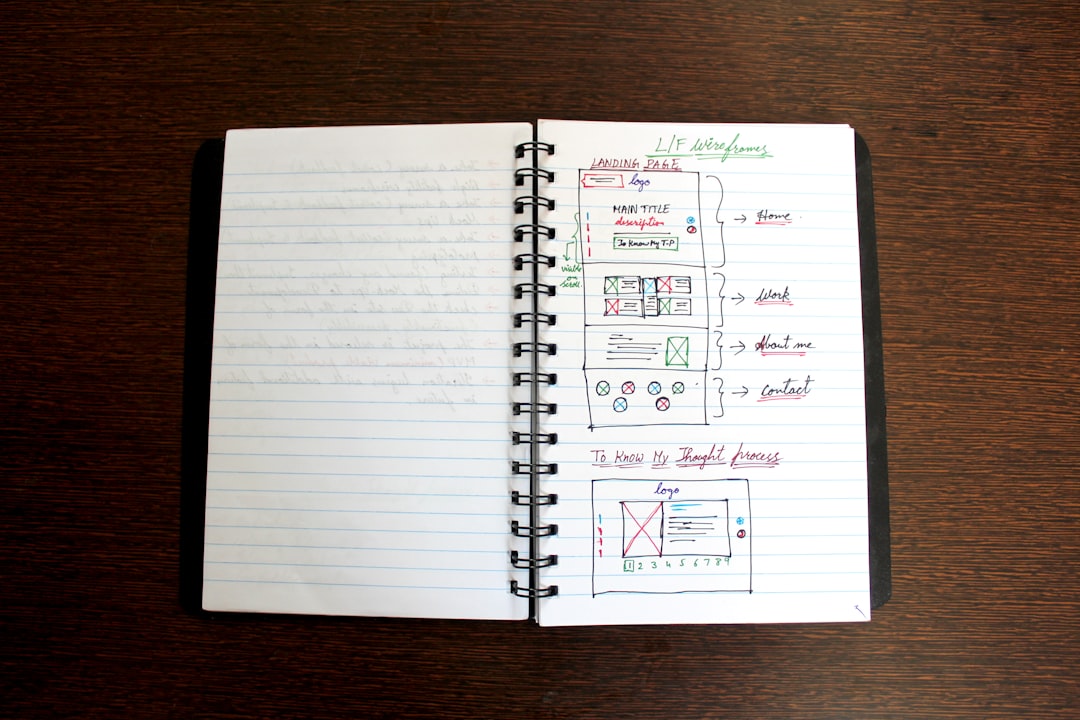
Whimsical is like a playground for your ideas. It is simple. It is fast. And it does not try to do too much.
You can create:
- Wireframes
- Flowcharts
- Mind maps
- Sticky notes
The magic is in its speed. No heavy setup. No complex menus. Just drag. Drop. Connect.
It is perfect for early-stage brainstorming. You can sketch rough layouts in minutes. Then share a link with your team instantly.
Many designers get stuck polishing too early. Whimsical keeps things low-fidelity. That is a good thing. It helps you focus on structure, not color palettes.
Best for: Quick ideation and user flows.
2. Useberry
Designers often guess how users will behave. Useberry helps you stop guessing.
You upload your prototype. It turns it into a test. Then real users interact with it.
You get:
- Click maps
- Completion rates
- Time on task
- User feedback
The best part? It works directly with your Figma or Adobe XD files.
You can validate ideas before development starts. That means fewer expensive fixes later.
Useberry is not as famous as big research platforms. But it is faster to set up. And much less intimidating.
Best for: Quick, affordable usability testing.
3. Stark
Accessibility is not optional. But many designers forget it until the end.
Stark makes accessibility checks feel easy.
It helps you:
- Check color contrast
- Simulate color blindness
- Test typography visibility
It works inside design tools like Figma and Sketch.
Instead of switching tabs and running manual tests, you just click once.
This tiny habit can make your designs more inclusive. And more professional.
Pro tip: Run Stark before every handoff. Make it part of your routine.
4. Magician for Figma
Yes. AI is everywhere. But Magician feels playful instead of overwhelming.
It is a Figma plugin powered by AI. You can:
- Generate icons
- Write microcopy
- Create illustrations
- Get content ideas
Stuck on button text? Ask it. Need a quick placeholder icon? Done.
It is not perfect. But it speeds up rough drafts.
The key is to treat it like a creative partner. Not a replacement for your brain.
Best for: Faster ideation and fighting creative block.
5. Overflow
User flows can get messy. Especially for complex products.
Overflow turns your static screens into beautiful flow diagrams.
You connect artboards. Add labels. Show decision paths.
The result looks clean and professional. Perfect for presentations.
Developers love it. Stakeholders understand it. And you avoid endless explanation meetings.

Overflow makes the invisible visible. It shows how everything connects.
Best for: Presenting user journeys clearly.
6. Coolors
Color palettes can eat up hours of your time.
Coolors makes it fun.
You press the spacebar. New palette. Press again. Another one.
You can:
- Lock colors you like
- Generate variations
- Check contrast
- Export instantly
It is simple. But powerful.
If you ever stare at a blank screen wondering which blue to use, this tool is your friend.
Best for: Quick color exploration.
7. UX Writing Hub
Design is not just visuals. Words matter.
Buttons. Error messages. Onboarding screens. Empty states.
UX Writing Hub helps you sharpen your microcopy skills.
It offers:
- Templates
- Courses
- Real-world examples
- Practice challenges
Many designers ignore writing. That is a mistake.
Clear microcopy improves usability fast. Sometimes more than a layout change.
Even reading a few examples can improve your wording instantly.
Best for: Designers who want stronger product communication.
8. Locofy
Handoff between design and development can be painful.
Locofy tries to fix that.
It converts your design into clean front-end code.
Not messy screenshots. Real code.
It supports responsive layouts. It detects components. It even helps with deployment.
Developers will still refine things. But this gives them a massive head start.
It also helps designers understand how their work translates to real products.
Best for: Smoother developer collaboration.
Why Under-the-Radar Tools Matter
Big tools try to do everything.
Small tools solve one problem very well.
That focus is powerful.
Here is why you should explore beyond the usual stack:
- Speed: Niche tools are often faster.
- Simplicity: Less clutter. Less learning curve.
- Specialization: They solve specific pain points.
- Fresh perspective: New tools change how you think.
Design is not static. Your workflow should not be either.
How to Try New Tools Without Overwhelm
Trying eight tools at once is chaos.
Instead:
- Pick one problem you face often.
- Choose a tool that solves that problem.
- Use it on a real project.
- Evaluate after one week.
Keep what works. Drop what does not.
Simple.
Final Thoughts
Great designers are curious.
They experiment. They test new workflows. They look for better ways to think and build.
You do not need hundreds of apps. You need the right ones.
Maybe Whimsical sharpens your early ideas. Maybe Useberry validates them. Maybe Stark makes them inclusive. Maybe Locofy brings them to life.
Small improvements stack up.
One new tool can save you hours every week. It can reduce friction. It can improve collaboration. It can even make design fun again.
Your challenge: Try one tool from this list in your next project.
Explore. Play. Break things.
That is how better design happens.

Comments are closed, but trackbacks and pingbacks are open.