

YouTube is fun. But it is also work. A lot of work. You need to plan, film, edit, design thumbnails, write titles, study analytics, and reply to comments. It can feel like a full-time job. The good news? The right apps can make everything faster and easier.
TLDR: If you want to grow faster on YouTube, you need tools that help you edit better, optimize smarter, and understand your audience. Apps like CapCut, TubeBuddy, VidIQ, Canva, and YouTube Studio can save hours every week. They help with editing, SEO, thumbnails, and analytics. Use them together, and your channel can grow faster with less stress.
Let’s look at five powerful YouTube apps that help creators edit, optimize, and grow. Simple tools. Big impact.
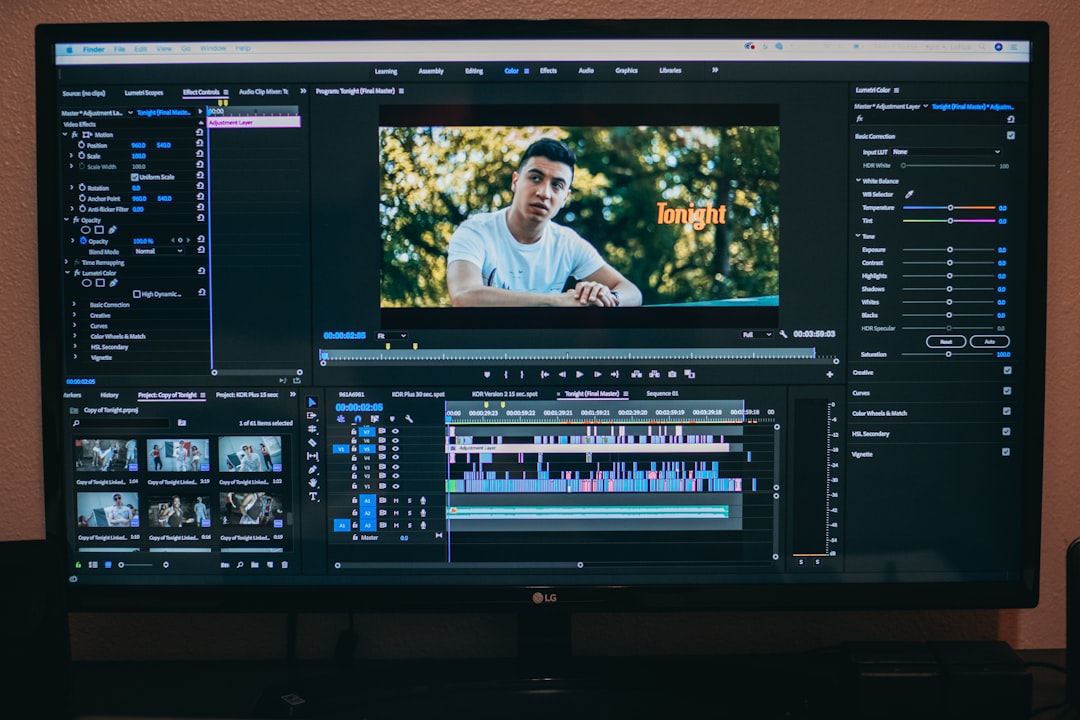
1. CapCut – Fast and Easy Video Editing
If editing feels scary, start here. CapCut is simple. Clean layout. Easy tools. No steep learning curve.
It works on:
- Desktop
- Mobile
- Web browser
That means you can edit anywhere.
Why creators love CapCut:
- Drag-and-drop editing
- Auto captions
- Built-in transitions
- Trending effects
- Music library
The auto-caption feature alone saves hours. Captions keep people watching longer. And longer watch time helps your video rank better.
You can also create Shorts easily. Just switch to vertical format. Boom. Done.
Best for: Beginners and busy creators who want fast edits without learning complicated software.
2. TubeBuddy – Your YouTube SEO Assistant
Making videos is only half the job. The other half? Helping people find them.
That’s where TubeBuddy shines.
TubeBuddy is a browser extension. It connects directly to your YouTube channel. It helps you optimize everything.
What it helps with:
- Keyword research
- Tag suggestions
- Title improvements
- A/B thumbnail testing
- Bulk updates for old videos
Let’s say you want to make a video about home workouts. TubeBuddy shows you:
- How competitive the keyword is
- How many people search for it
- Better keyword variations
It gives your topic a score. Green is good. Red is hard. Simple.
The A/B testing tool is powerful. You can test two thumbnails. TubeBuddy shows which one gets more clicks. You stop guessing. You use data.
Best for: Creators who want more views without posting more videos.
3. VidIQ – Smarter Growth Strategies
VidIQ is like TubeBuddy’s cousin. But it has its own strengths.
It focuses heavily on growth strategy.
What makes VidIQ special:
- Daily video ideas
- Trending alerts
- Competitor tracking
- Channel audits
- AI title and description generators
If you ever ask, “What should I post next?” VidIQ helps answer that.
It studies your channel. Then it suggests ideas based on what is working in your niche.
It also shows what your competitors are doing. You can see:
- Their top videos
- Tags they use
- View velocity
This gives you direction. Not random guesses.

Best for: Intermediate creators ready to grow strategically.
4. Canva – Thumbnails That Get Clicks
Your video might be amazing. But if no one clicks, it does not matter.
Your thumbnail is your billboard.
Canva makes design easy. Even if you have zero experience.
Why Canva is perfect for YouTubers:
- Pre-made YouTube thumbnail templates
- Drag-and-drop design
- Huge font library
- Background remover
- Brand kits
You can create bold, clean thumbnails in minutes.
Big faces. Big text. High contrast. Simple wins.
You can also use Canva to create:
- Channel art
- End screens
- Community post graphics
Consistency builds recognition. Recognition builds trust. Trust builds clicks.
Best for: Creators who want professional thumbnails without hiring a designer.
5. YouTube Studio – Your Control Center
This one is free. And many creators ignore it.
Big mistake.
YouTube Studio is your data hub. It shows what works. And what does not.
Inside YouTube Studio you can see:
- Click-through rate
- Audience retention
- Watch time
- Traffic sources
- Returning viewers
If people leave at minute two, check what happened at minute two. Was the intro too long? Did the energy drop?
Your audience tells you everything. In graphs.
The mobile app is also powerful. You can:
- Reply to comments fast
- Check performance daily
- Adjust titles and descriptions
Growth is easier when you pay attention.

Best for: Every single YouTube creator.
Quick Comparison Chart
| App | Main Purpose | Best For | Skill Level | Standout Feature |
|---|---|---|---|---|
| CapCut | Video Editing | Fast content creation | Beginner | Auto captions |
| TubeBuddy | SEO Optimization | Ranking higher in search | Beginner to Intermediate | A/B thumbnail testing |
| VidIQ | Growth Strategy | Idea generation and trends | Intermediate | Daily AI video ideas |
| Canva | Graphic Design | Thumbnails and branding | Beginner | Easy templates |
| YouTube Studio | Analytics | Performance tracking | All levels | Audience retention data |
How to Use These Apps Together
Each app is strong alone. Together? Even better.
Here is a simple workflow:
- Research ideas using VidIQ.
- Check keywords with TubeBuddy.
- Edit the video in CapCut.
- Create a thumbnail in Canva.
- Track performance in YouTube Studio.
This system covers everything.
No guessing. No chaos.
Tips to Grow Faster Using These Tools
Tools help. But how you use them matters more.
1. Focus on click-through rate.
Use TubeBuddy to test thumbnails. Aim for improvement, not perfection.
2. Hook viewers fast.
Use YouTube Studio retention graphs. Improve your first 30 seconds.
3. Post consistently.
CapCut saves time. Use that time to post more regularly.
4. Follow trends smartly.
Use VidIQ trend alerts. Add your unique twist.
5. Keep branding consistent.
Use Canva brand kits. Same colors. Same style. Every video.
Final Thoughts
You do not need a huge team to grow on YouTube.
You need smart tools.
CapCut helps you edit faster. TubeBuddy and VidIQ help people find your videos. Canva helps them click. YouTube Studio helps you improve.
Simple stack. Powerful results.
Start with one. Master it. Then add the next.
Growth on YouTube is not magic. It is small improvements repeated every week.
And with the right apps, those improvements get a lot easier.
Now the question is simple: Which app will you start using today?

Comments are closed.