
Small teams, solo founders, nonprofits, and growing businesses can now create a structured digital marketing workflow without purchasing expensive software. By combining free AI tools with a clear process, a marketer can move from research to content planning, production, publishing, and reporting with less manual effort and more consistency.
TLDR: A strong digital marketing workflow begins with research, audience definition, and clear goals. Free AI tools can help generate ideas, draft content, improve SEO, create visuals, repurpose posts, and analyze performance. The best workflow uses AI for speed and structure, while a human still checks accuracy, brand voice, and strategy. With the right system, even a small team can run campaigns that feel organized, professional, and scalable.
Start with Clear Marketing Goals
Before any AI tool is used, the marketing team should define what the workflow is meant to achieve. AI can produce content quickly, but it cannot automatically decide the correct business priority. A company may want more website traffic, higher email signups, more qualified leads, better social engagement, or stronger brand awareness.
A simple goal might be: increase organic website visits by 20% in three months. Another might be: generate 100 new email subscribers from LinkedIn and blog content. Once the objective is clear, every AI-assisted task becomes easier to guide and evaluate.
- Traffic goals: blog posts, SEO pages, Pinterest content, and search-friendly videos.
- Lead generation goals: landing pages, email sequences, downloadable guides, and calls to action.
- Brand awareness goals: social posts, short videos, educational threads, and visual storytelling.
- Customer retention goals: newsletters, tutorials, product updates, and customer success content.
Build an Audience Research System
The first operational step is audience research. Free tools such as Google Trends, AnswerThePublic free searches, Reddit, Quora, YouTube search suggestions, and free AI chatbots can help identify what people are asking, comparing, and struggling with.
A marketer can gather questions from forums and search engines, then paste them into a free AI tool with a prompt such as: “Group these questions into audience pain points, buying objections, and content topic clusters.” This turns messy research into a useful planning document.

The most useful output is not just a list of ideas, but a customer insight map. This map should include audience segments, common problems, emotional triggers, desired outcomes, and the type of content each segment prefers. For example, beginners may prefer checklists and simple tutorials, while experienced buyers may want comparisons, case studies, and performance data.
Create a Content Strategy with AI Assistance
After audience research, the next stage is strategy. Free AI tools can help turn goals and insights into a content plan. The marketer can ask an AI assistant to create monthly themes, suggest blog topics, generate newsletter ideas, and organize social media campaigns around specific offers.
A strong content strategy usually includes:
- Core topics: the main themes the brand should be known for.
- Content pillars: educational, promotional, trust-building, and community-focused content.
- Publishing channels: blog, email, LinkedIn, Instagram, TikTok, YouTube, or others.
- Conversion paths: links to lead magnets, product pages, consultations, or signup forms.
- Measurement points: impressions, clicks, subscribers, leads, sales, and engagement rate.
AI can also create a content calendar. A prompt might ask for a 30-day calendar with one blog post per week, three social posts per week, and one email newsletter. The marketer should then edit the calendar to match available resources, seasonal campaigns, and brand priorities.
Use Free AI Tools for Keyword and SEO Planning
Search engine optimization becomes easier when AI is used to organize keyword research. Free tools such as Google Keyword Planner, Google Search Console, Google Trends, browser-based SEO extensions, and AI chat assistants can support the process.
The workflow can begin with a broad keyword, such as “email marketing for coaches” or “local SEO for restaurants.” The marketer can then use AI to generate related long-tail keywords, search intent categories, title ideas, meta descriptions, and article outlines.
However, AI-generated keyword ideas should be validated. A human should check whether people actually search for those terms and whether the competition is realistic. AI is excellent for brainstorming and structure, but it should not replace real data from search tools.
Draft Content Faster Without Losing Brand Voice
Content production is one of the strongest uses of free AI tools. A marketer can use AI to draft blog posts, social captions, email subject lines, product descriptions, ad variations, video scripts, and landing page copy. The key is to provide enough context.
Instead of asking for a generic blog post, the prompt should include the audience, goal, tone, offer, keywords, and desired structure. For example: “Write a friendly but professional blog outline for small business owners who want to improve local SEO. Include practical steps, common mistakes, and a soft call to action for a free consultation.”
AI-generated drafts should go through a review process. The editor should check for accuracy, originality, examples, tone, and usefulness. The best results usually come from a workflow where AI creates the rough draft and the human adds expertise, proof, personality, and strategic judgment.
Design Visual Assets with Free AI and Creative Tools
Digital marketing workflows often slow down when visual assets are needed. Free AI image generators, free design platforms, and built-in social media creation tools can help produce concept art, background images, post layouts, thumbnails, and presentation graphics.

A marketer can create a simple image workflow:
- Step 1: Define the visual objective, such as an educational carousel or blog header.
- Step 2: Generate image concepts with an AI image tool.
- Step 3: Place the strongest visual into a free design editor.
- Step 4: Add brand colors, typography, captions, and logo placement if appropriate.
- Step 5: Export in the correct sizes for each platform.
Consistency matters more than complexity. A brand should maintain the same color palette, font style, graphic treatment, and tone across channels. AI can help generate visuals, but brand guidelines keep the marketing presence recognizable.
Repurpose Every Core Content Piece
An efficient digital marketing workflow does not treat every channel as a separate project. Instead, one strong content asset should be repurposed into many smaller assets. For example, a blog post can become a LinkedIn post, an email newsletter, a short video script, three quote graphics, a checklist, and several social captions.
Free AI tools are especially useful for repurposing. A marketer can paste a blog article into an AI assistant and ask for five tweet-style posts, three LinkedIn captions, one newsletter summary, and a 60-second video script. This approach reduces workload while keeping the campaign message consistent.
Repurposing also improves audience reach. Some people prefer long-form articles, while others engage with short posts, email summaries, or videos. AI helps repackage the same idea for different formats without starting from zero each time.
Create an Approval and Quality Control Process
No digital marketing workflow should publish AI-generated content without review. A simple approval system protects the brand from errors, weak claims, plagiarism risks, and off-brand messaging. The process does not need to be complicated, especially for small teams.
A practical quality checklist may include:
- Accuracy: Are claims, statistics, and recommendations correct?
- Originality: Does the content add a unique viewpoint or example?
- Brand voice: Does it sound like the company, not a generic AI response?
- SEO: Are headings, keywords, internal links, and meta elements included?
- Conversion: Is there a clear next step for the reader?
- Compliance: Are legal, medical, financial, or regulated claims reviewed by a qualified person?
This review stage is where human expertise becomes essential. AI can accelerate production, but trust is built through accuracy, clarity, and real understanding of the audience.
Schedule and Publish with Free Tools
Once content is ready, the workflow moves into scheduling and publishing. Free tools such as platform-native schedulers, Google Calendar, Trello, Notion, Airtable free plans, Buffer free plan, and Meta Business Suite can help manage publishing dates and responsibilities.
The team should create a content board with columns such as Ideas, Research, Drafting, Editing, Design, Scheduled, and Published. Each content card should include the title, target audience, channel, due date, owner, assets, and call to action.
This structure prevents content from getting lost in chats, notebooks, or scattered documents. It also makes it easier to see whether the marketing plan is balanced across blog, email, and social channels.
Measure Performance and Let AI Find Patterns
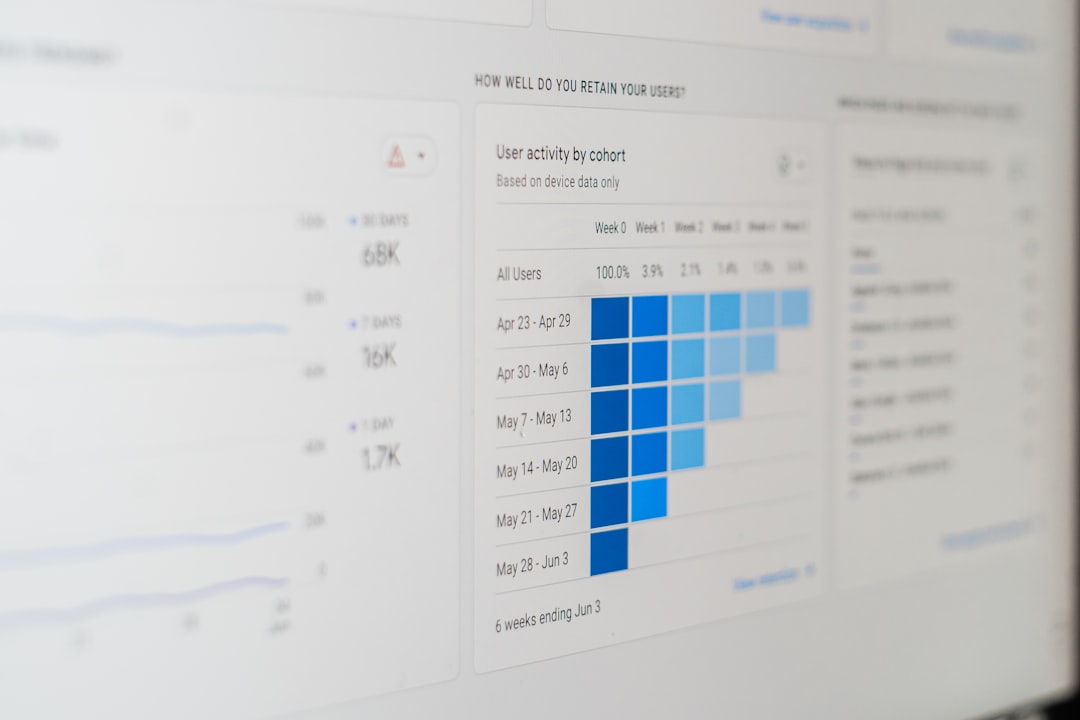
Measurement closes the loop. Free analytics tools such as Google Analytics, Google Search Console, Looker Studio, native social media analytics, and email platform reports can show what is working.

AI can help interpret exported data. For example, a marketer can provide a spreadsheet of post performance and ask an AI assistant to identify patterns, top-performing topics, weak channels, and recommendations for the next month. The output should be treated as a starting point for analysis, not a final verdict.
Important metrics may include:
- Reach: impressions, views, and audience growth.
- Engagement: comments, shares, saves, likes, and replies.
- Traffic: website sessions, source channels, and landing page visits.
- Conversions: form fills, email signups, purchases, and booked calls.
- Efficiency: time spent creating content compared with results produced.
Improve the Workflow Every Month
A digital marketing workflow should evolve. At the end of each month, the team should review what was planned, what was published, what performed well, and what felt inefficient. AI can summarize the month’s activities, extract lessons, and suggest next steps.
The strongest workflows usually become simpler over time. Weak channels are reduced, winning formats are repeated, and prompts become more refined. A business may discover that educational blog posts drive the most search traffic, while short videos create the most awareness and email campaigns generate the most conversions.
Free AI tools can make digital marketing faster, but the workflow succeeds because of structure. Goals guide the strategy, research shapes the message, content systems increase output, quality control protects the brand, and analytics support smarter decisions. When these pieces work together, even a small marketing team can operate with the discipline of a much larger department.
FAQ
Can a business really build a digital marketing workflow using only free AI tools?
Yes. A business can use free AI chatbots, free analytics platforms, free design tools, and native social media schedulers to create a complete workflow. Paid tools may add convenience, but they are not required to begin.
What is the best free AI tool for digital marketing?
There is no single best tool for every task. Free AI chat assistants are useful for writing, planning, and brainstorming, while Google tools are valuable for SEO and analytics. The best setup combines several tools into one repeatable process.
Should AI write all marketing content?
AI can draft and repurpose content, but a human should review and improve it. Human editing ensures accuracy, brand voice, originality, and strategic relevance.
How often should the workflow be reviewed?
A monthly review is usually effective. The team can compare goals with results, identify high-performing content, remove unnecessary steps, and improve prompts or templates.
What is the biggest mistake when using AI for marketing?
The biggest mistake is publishing generic AI output without strategy or review. AI works best when it is guided by clear goals, audience research, brand standards, and performance data.

Comments are closed, but trackbacks and pingbacks are open.