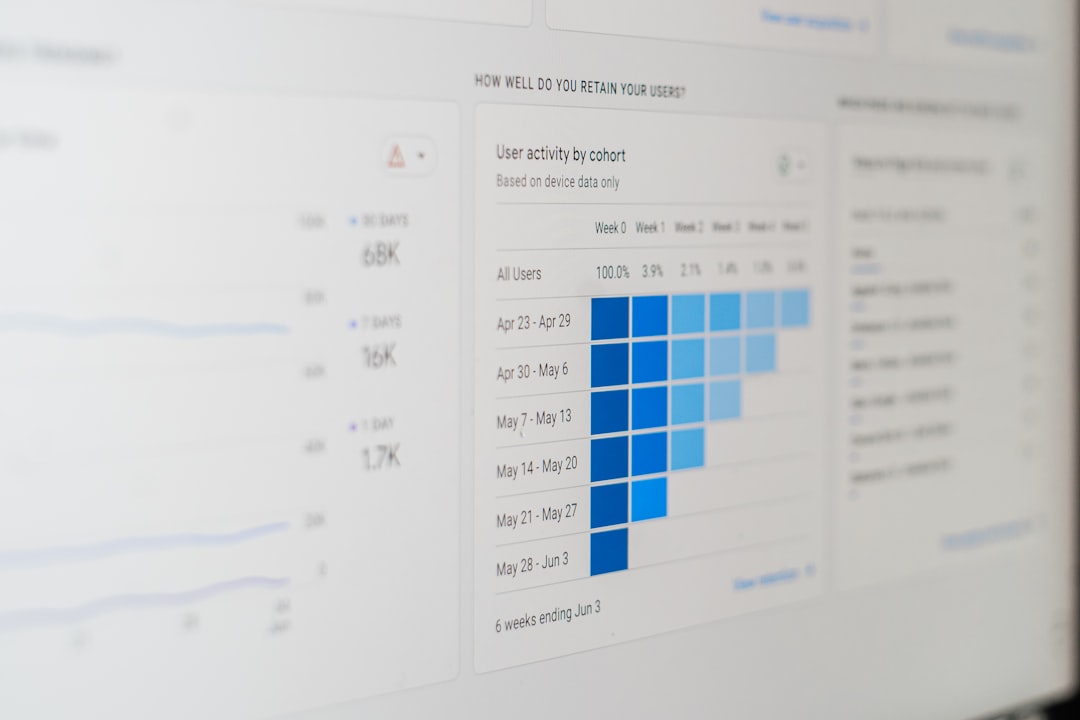

Understanding how users interact with your website is no longer a luxury—it’s a necessity. From identifying friction points to improving conversions, heatmap and behavior analytics tools provide visual insights that traditional analytics platforms simply can’t match. While Hotjar is one of the most popular solutions in this space, it’s far from the only option. In fact, several powerful Hotjar competitors offer unique features, pricing models, and integrations that may better suit your business needs.
TLDR: Hotjar is a leading heatmap and user behavior tool, but it’s not your only choice. Competitors like Crazy Egg, Microsoft Clarity, FullStory, Lucky Orange, and Smartlook provide powerful alternatives with different strengths, pricing, and features. Some focus on affordability, others on advanced session replay and analytics. Choosing the right tool depends on your budget, website size, and the level of behavioral insight you need.
Why Look for a Hotjar Alternative?
Hotjar does a great job combining heatmaps, session recordings, feedback polls, and surveys in one platform. However, some businesses seek alternatives because of:
- Pricing concerns as traffic scales
- Data limits on recordings or heatmaps
- Compliance requirements for privacy-sensitive industries
- Advanced analytics needs beyond heatmaps
- Integration preferences with other marketing tools
The good news? The market for heatmap and user behavior tools is rich with innovation.

Top Hotjar Competitors to Consider
1. Crazy Egg
Crazy Egg is one of the original heatmap tools and remains a strong alternative. It focuses heavily on visual reports such as:
- Heatmaps
- Scroll maps
- Confetti reports (segmenting clicks by traffic source)
- A/B testing
What sets Crazy Egg apart is its built-in A/B testing functionality, which allows you not only to identify problems but also test solutions without adding another optimization tool.
Best for: Small to medium-sized businesses wanting straightforward heatmaps plus testing features.
2. Microsoft Clarity
One of the most appealing alternatives is Microsoft Clarity. Why? It’s completely free.
Despite being free, Clarity offers robust features:
- Unlimited session recordings
- Click and scroll heatmaps
- Rage click detection
- Dead click identification
- Deep integration with Microsoft tools
Clarity stands out for its AI-driven insights, such as automatically detecting frustration signals. For startups or budget-conscious teams, it’s an outstanding value.
Best for: Businesses seeking a powerful free solution with strong behavioral insights.
3. FullStory
FullStory goes beyond traditional heatmaps by offering advanced digital experience analytics. It captures every user interaction in detail, making it especially appealing for enterprise organizations.
Key features include:
- High-definition session replay
- Error tracking
- Conversion funnel analysis
- Custom event tracking
- AI-powered behavioral insights
Unlike lighter tools, FullStory focuses on deep diagnostics and customer journey analysis across complex websites and applications.
Best for: Large businesses needing advanced data analysis and scalability.

4. Lucky Orange
Lucky Orange aims to combine multiple optimization tools into one dashboard. In addition to heatmaps and session recordings, it offers:
- Live chat functionality
- Conversion funnels
- Form analytics
- Visitor profiles
The integrated live chat feature is a key differentiator. It allows you to engage with users while analyzing their behavior, creating a powerful combination of observation and interaction.
Best for: E-commerce businesses wanting to combine analytics with real-time customer engagement.
5. Smartlook
Smartlook positions itself as a qualitative analytics tool built for websites and mobile apps. It emphasizes event-based tracking rather than just page-based heatmaps.
Standout features:
- Event tracking without coding
- Funnel analysis
- Mobile app analytics
- Session replay filtering
This makes Smartlook particularly appealing to SaaS companies and app developers who need cross-platform insights.
Best for: Product teams tracking user journeys across web and mobile.
Feature Comparison Chart
| Tool | Heatmaps | Session Replay | Funnels | A/B Testing | Free Plan | Best For |
|---|---|---|---|---|---|---|
| Crazy Egg | Yes | Yes | Limited | Yes | No | SMBs needing testing tools |
| Microsoft Clarity | Yes | Yes | No | No | Yes | Budget conscious teams |
| FullStory | Yes | Advanced | Yes | No | Limited | Enterprise analytics |
| Lucky Orange | Yes | Yes | Yes | No | Limited | E-commerce sites |
| Smartlook | Yes | Yes | Yes | No | Limited | Web and mobile apps |
Key Features to Look for in a Heatmap Tool
Choosing the right tool isn’t only about price. It’s about finding the features that align with your goals.
1. Click and Scroll Heatmaps
These show where users click and how far they scroll. If important content falls below the average scroll depth, you may need to rethink your layout.
2. Session Recordings
Watching real user sessions can reveal usability problems that numbers alone cannot explain.
3. Conversion Funnels
Funnels help you identify exactly where users drop off in the buying or sign-up process.
4. Form Analytics
Form abandonment can drastically affect conversions. Tools that show hesitation or field drop-offs provide valuable insight.
5. Privacy and Compliance Controls
Look for features like IP anonymization, consent management, and GDPR compliance if you operate internationally.

How These Tools Improve Conversion Rates
Heatmap tools help bridge the gap between what users do and why they do it. Here’s how they contribute to better conversion optimization:
- Identifying distractions: Discovering non-clickable elements that users repeatedly click.
- Improving call-to-action placement: Placing buttons in high-attention areas.
- Optimizing page length: Adjusting content based on scroll behavior.
- Reducing friction: Fixing confusing navigation paths.
For example, a scroll heatmap might reveal that 60% of users never reach your pricing table. That insight alone could lead to placing pricing information higher up—or redesigning the layout entirely.
Free vs. Paid Heatmap Tools
Free tools like Microsoft Clarity are attractive for startups. However, paid tools often offer:
- Higher data retention limits
- Advanced filtering capabilities
- Technical support
- Team collaboration features
- Enterprise-grade security
If your website generates substantial traffic, free plans may quickly become limiting. Paid solutions generally allow deeper analysis and more historical data storage.
How to Choose the Right Hotjar Competitor
Start by answering a few critical questions:
- How much traffic does your website receive?
- What is your monthly budget?
- Do you need mobile app analytics?
- Are A/B testing features important?
- Do you require enterprise-level reporting?
If you run a simple content website, a lightweight or free tool may be sufficient. For an e-commerce store processing thousands of transactions daily, a more robust platform like FullStory or Smartlook might justify the investment.
Final Thoughts
Hotjar remains a popular and capable heatmap solution, but it is far from the only option available. Whether you prioritize affordability, advanced analytics, mobile tracking, or built-in experimentation tools, there is a strong competitor tailored to your needs.
The real value of heatmap tools lies in action. Insights alone don’t improve conversions—implementation does. The best strategy is to choose a tool that makes insights easy to act upon, integrate it seamlessly into your workflow, and build a culture of continuous optimization.
When you truly understand how users behave—not just where they come from—you gain a profound competitive advantage. And in today’s digital landscape, that understanding makes all the difference.

Comments are closed, but trackbacks and pingbacks are open.