What Every WordPress User Should Know About Click-To-Call SEO And Mobile User Behavior In 2026

Phones are no longer just tiny computers in our pockets. In 2026, they are decision-making machines. People search, compare, tap, and call in seconds. If you run a WordPress site and ignore click-to-call SEO, you are leaving money on the table. The good news? It is not hard to fix. And it can change everything.
TLDR: In 2026, most high-intent searches happen on mobile. Users want fast answers and even faster ways to call a business. Click-to-call buttons, properly optimized for SEO, can boost conversions and local rankings. If your WordPress site is not built for mobile-first behavior, you are already behind.
What Is Click-To-Call SEO?
Click-to-call SEO is the practice of making your phone number easy to tap, easy to find, and easy for Google to understand.
It sounds simple. But there is more to it.
It includes:
- Using clickable phone links (tel: links)
- Adding clear call buttons on mobile
- Optimizing for local search intent
- Using structured data markup
- Tracking call conversions
When done right, it helps both users and search engines.
Why Mobile Behavior Matters More Than Ever
In 2026, over 70% of local service searches happen on mobile devices. Even for B2B. Even during work hours.
People are impatient. They do not want to fill out long forms. They do not want to scroll endlessly.
They want:
- Fast load times
- Clear pricing
- Trust signals
- A big, obvious call button
If they cannot call you in one tap, they will call your competitor.
This behavior has shaped Google’s algorithm. Mobile-first indexing is no longer new. It is standard. Google ranks your site based on how it performs on mobile.
So your call button placement? It matters.
Image not found in postmetaThe Psychology Behind the Tap
Here is something interesting.
When users search with high intent, like “emergency plumber near me,” their brain is in action mode. They want immediate help.
Typing an email feels slow.
A call feels instant.
This is called micro-moment behavior. The “I-need-help-now” moment.
If your WordPress site supports that moment, you win.
If your site creates friction, you lose.
How To Add Click-To-Call The Right Way In WordPress
Let us keep it simple.
1. Use Proper Tel Links
Your phone number should look like this in HTML:
<a href="tel:+1234567890">Call Us Now</a>
Why?
Because Google reads it clearly. And phones recognize it instantly.
Do not just paste plain text numbers. Make them clickable.
2. Put It Above The Fold
Your call button should be visible without scrolling.
Especially on service pages.
Good locations include:
- Top header bar
- Sticky bottom mobile bar
- Hero section call-to-action
Do not hide it in the footer. That is 2015 behavior.
3. Use A Sticky Mobile Call Button
A small floating button at the bottom of the screen works great.
It follows the user as they scroll.
It should:
- Be large enough to tap
- Have contrast color
- Include a phone icon
- Say something action-driven like “Call Now”
4. Add Local Schema Markup
This is where SEO gets powerful.
Use LocalBusiness schema to define:
- Your business name
- Address
- Phone number
- Opening hours
This helps Google connect your number with local search results.
It increases your chances of appearing in the Local Pack.
And that is where the magic happens.
Click-To-Call And Local SEO
Local SEO and click-to-call go together like coffee and mornings.
Most call clicks come from:
- Google Business Profiles
- Local Pack listings
- Mobile organic results
If your WordPress site matches your Google Business Profile phone number exactly, Google trusts you more.
Consistency matters.
This includes:
- Same format
- Same country code
- No tracking number mismatches
If you use call tracking, use dynamic number insertion carefully. Make sure your core NAP data stays consistent for search engines.
Page Speed Affects Call Conversions
Here is something many site owners overlook.
If your page loads in 5 seconds instead of 2, call clicks can drop dramatically.
Mobile users are impatient.
Every second counts.
Focus on:
- Image optimization
- Lightweight themes
- Minimal popups
- Good hosting
Fast site = more calls.
It is that direct.
Voice Search And Click-To-Call
Voice search continues to grow in 2026.
People ask:
- “Call a dentist near me.”
- “Find a 24 hour electrician.”
- “Contact a tax advisor now.”
These searches often trigger immediate call behavior.
To optimize for this:
- Use natural language in headings
- Create FAQ sections
- Answer common spoken questions
Short answers increase your chance of being selected for voice results.
And voice results often lead to calls.
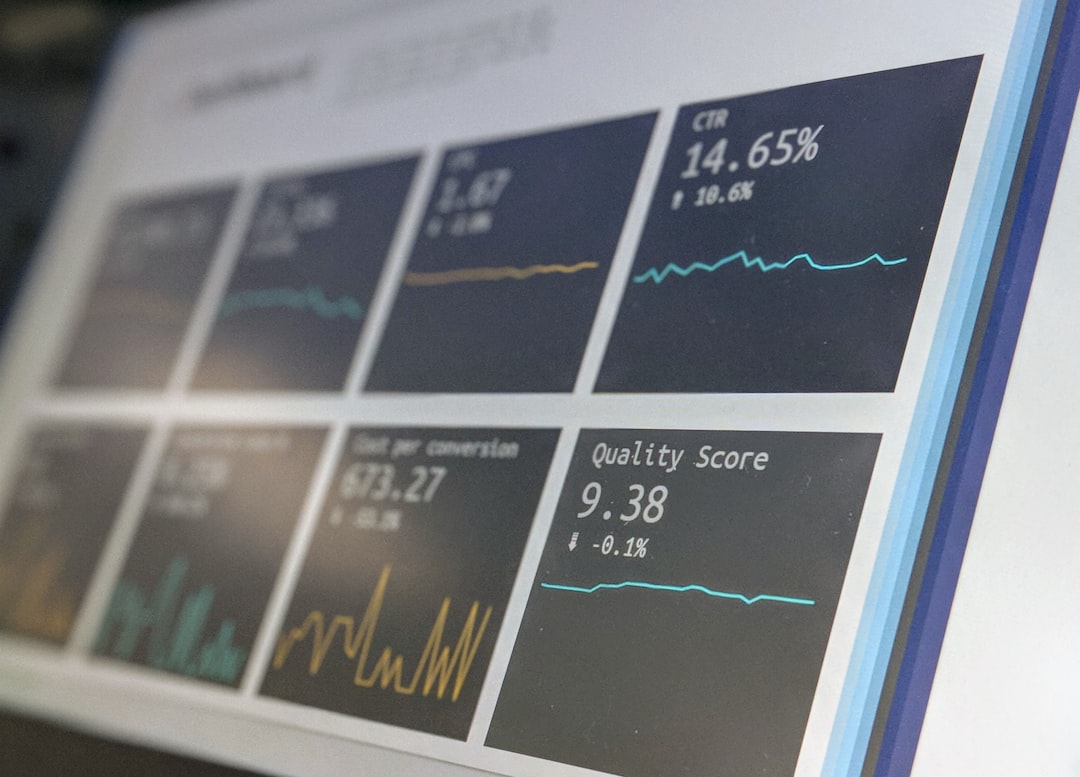
Tracking Click-To-Call Conversions
If you are not tracking calls, you are guessing.
In WordPress, you can track:
- Click events on phone links
- Mobile vs desktop call clicks
- Source of traffic before the call
Use tools like analytics event tracking or tag managers.
Measure:
- Which pages drive most calls
- What time users click
- Which keywords bring high-intent visitors
This tells you where to invest your SEO efforts.
Common Mistakes WordPress Users Make
Let us save you from trouble.
Mistake 1: Hiding the phone number on mobile.
Mistake 2: Using images instead of text for phone numbers without alt text.
Mistake 3: Forgetting structured data.
Mistake 4: Using intrusive popups that block the call button.
Mistake 5: Not testing on real smartphones.
Always test your site on:
- iPhone
- Android
- Different screen sizes
What looks great on desktop can break on mobile.
The Role Of Trust In Mobile Calls
People only call businesses they trust.
Before the tap happens, users quickly scan for:
- Reviews
- Testimonials
- Clear pricing
- Professional design
- Secure HTTPS connection
If your site looks outdated, they hesitate.
In 2026, design signals credibility instantly.
Clean layout. Good typography. Clear buttons.
Trust increases call conversions.
AI Assistants And Smart Call Behavior
AI assistants now help users decide who to call.
They evaluate:
- Ratings
- Response time
- Website clarity
- Mobile performance
If your WordPress site is optimized, AI recommendations improve.
That means more automated referrals. More calls.
The future is not just search engines.
It is AI-driven discovery.
Design Tips For 2026
Want higher click-to-call rates? Follow these design trends:
- Minimal hero sections with one strong call-to-action
- High-contrast call buttons
- Simple navigation
- Short, scannable paragraphs
- Clear service benefits
Less clutter. More clarity.
Remember: confused users do not call.
The Big Picture
Click-to-call SEO is not just a button.
It is about understanding human behavior.
It is about speed. Trust. Intent. Simplicity.
WordPress gives you the tools. But you must use them wisely.
Think like your visitor.
They are on their phone.
They are in a hurry.
They want a solution.
If your site helps them call in one tap, you win the moment.
And in 2026, winning the moment is everything.

Comments are closed, but trackbacks and pingbacks are open.