

Modern laptops are designed to balance performance, convenience, and energy efficiency. Two commonly used power-saving options—Sleep Mode and Hibernation—appear similar on the surface, but they function very differently behind the scenes. Understanding how each mode works can help you extend battery life, protect your data, and improve overall device longevity.
TLDR: Sleep Mode keeps your work in memory and uses a small amount of power so your laptop can resume almost instantly. Hibernation saves your session to the hard drive and completely powers down, using no battery but taking longer to restart. Sleep is ideal for short breaks, while Hibernation is better for extended periods of inactivity. Choosing the right option depends on how long you’ll be away and whether your device is plugged in.
What Is Sleep Mode?
Sleep Mode is a low-power state that allows your laptop to quickly resume activity exactly where you left off. When activated, the system places open documents, applications, and data into RAM (Random Access Memory) and significantly reduces power consumption. The processor slows down, the display turns off, and most hardware components enter a suspended state.

Because RAM requires a small amount of continuous power to maintain stored data, the laptop still consumes minimal energy while asleep. However, this power use is relatively low compared to normal operation.
Key characteristics of Sleep Mode:
- Very fast wake-up time (typically a few seconds)
- Uses a small amount of battery power
- Keeps current session active in memory
- Ideal for short breaks (minutes to a few hours)
Sleep Mode is especially useful during meetings, classroom sessions, or short work interruptions when quick access matters more than absolute power savings.
What Is Hibernation?
Hibernation is a deeper power-saving state designed for longer periods of inactivity. Instead of keeping data in RAM, the operating system writes the entire session—including open programs, documents, and system state—to the hard drive or solid-state drive. After saving this information, the laptop completely powers off.
Image not found in postmetaBecause the system shuts down entirely, Hibernation uses virtually no battery power. When you power the laptop back on, it reloads the saved session from storage, restoring your workspace to its previous state.
Key characteristics of Hibernation:
- No power consumption while inactive
- Longer startup time compared to Sleep
- Better for extended periods (overnight or multiple days)
- Safer for preserving battery charge when unplugged
Although resuming from Hibernation takes longer, it provides peace of mind if your device will not be connected to power for a prolonged period.
The Core Technical Difference
The primary distinction between Sleep and Hibernation lies in where your session data is stored during inactivity:
- Sleep Mode: Data remains in RAM, requiring minimal continuous power.
- Hibernation: Data is written to the hard drive or SSD, allowing the system to shut down completely.
RAM is significantly faster than storage drives, which explains why Sleep Mode resumes almost instantly. However, RAM is volatile memory—meaning that if power is lost, the data disappears. Hibernation avoids this risk by storing data in non-volatile storage.
Battery Usage Comparison
Battery efficiency is often the deciding factor between these two options.
Sleep Mode:
- Consumes a small but continuous amount of power
- May drain several percentage points over multiple hours
- Can fully drain the battery if left for days
Hibernation:
- Consumes no battery power while inactive
- Maintains battery level over extended periods
- Ideal for travel or long storage
If your laptop battery is already low, choosing Hibernation over Sleep can prevent unexpected shutdowns and data loss.
Speed and Convenience
Speed is where Sleep Mode clearly outperforms Hibernation.
Wake Time:
- Sleep: 1–5 seconds
- Hibernation: 10–30 seconds (depending on hardware)
The difference becomes more noticeable on devices with traditional hard drives, where Hibernation can take longer to restore. On laptops with fast SSDs, the delay is shorter but still slower than Sleep.
If immediate access is critical—such as during presentations or active collaboration—Sleep Mode offers unmatched convenience.
Data Safety Considerations
Data preservation is another crucial factor.
Because Sleep Mode relies on continuous power to RAM, a complete battery drain or hardware failure can result in lost session data. While modern laptops attempt to switch from Sleep to Hibernation automatically when the battery gets critically low, this feature is not universally reliable.
Hibernation, by contrast, is inherently safer in situations where power loss is possible. Since the session is saved to disk before shutdown, unexpected power depletion does not erase your progress.
For professionals working with important documents or sensitive data, Hibernation provides an additional layer of security.
Impact on Hardware Longevity
Another important distinction concerns hardware wear.
Sleep Mode:
- Keeps some components minimally active
- May generate slight heat over extended periods
- Less strain from full shutdown cycles
Hibernation:
- Fully powers down hardware
- Reduces prolonged thermal activity
- Involves additional read/write cycles to storage
Frequent Hibernation writes session data to the drive each time, which incrementally contributes to storage wear. On modern SSDs, however, this wear is typically negligible under normal usage conditions.
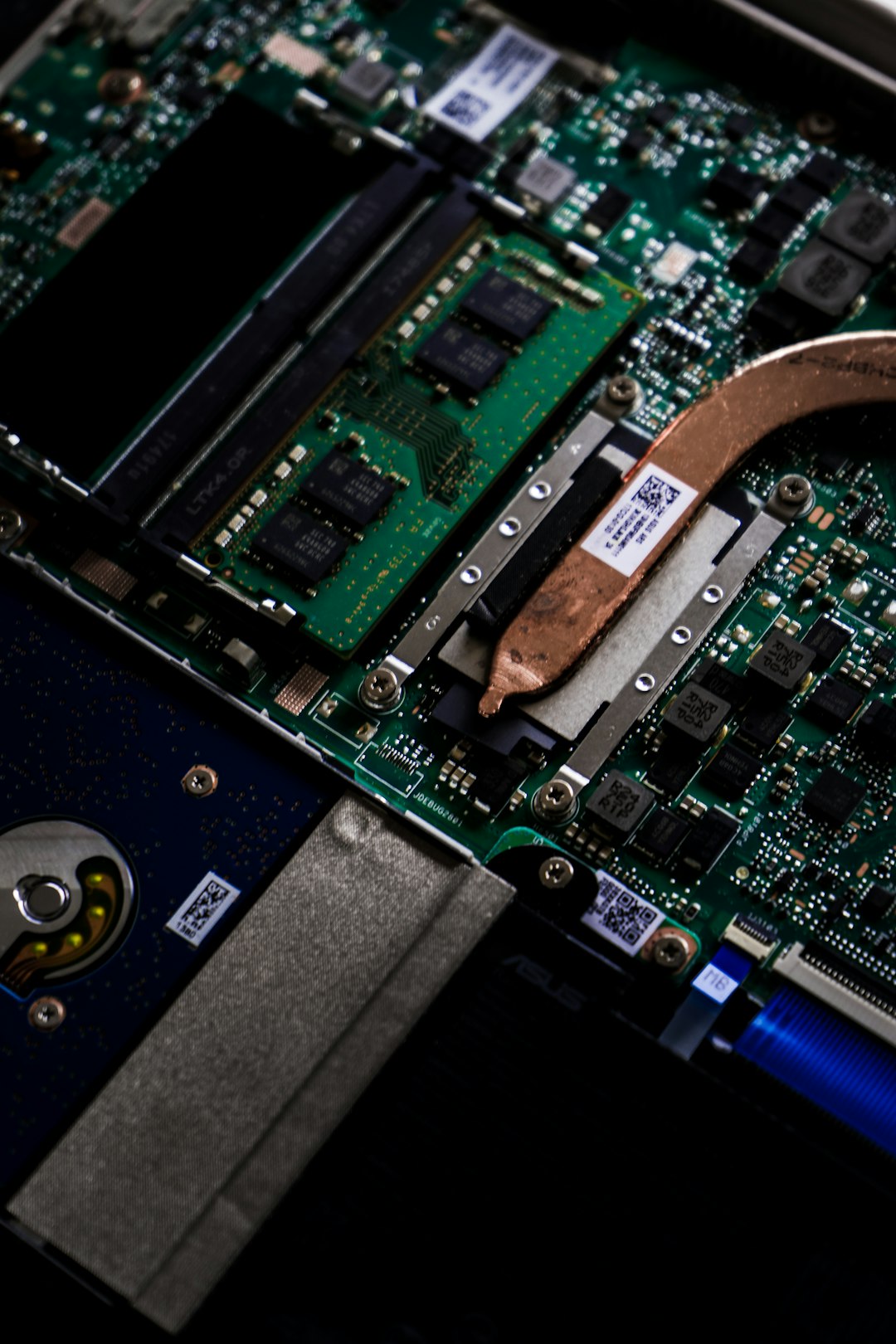
From a long-term perspective, moderate use of either feature does not significantly impact device lifespan. The key is choosing the appropriate mode for the situation.
When to Use Sleep Mode
Sleep Mode is best suited for:
- Short breaks during workdays
- Switching locations within the same building
- Quick pauses between meetings or classes
- Situations requiring immediate restart
If your laptop remains plugged in, Sleep is generally safe and efficient. It maintains convenience without meaningfully affecting energy costs.
When to Use Hibernation
Hibernation is the better option when:
- You will not use the laptop for several hours or days
- The device will remain unplugged
- Battery level is low
- You are traveling or storing the laptop
In these cases, Hibernation prevents battery drain while safeguarding open projects.
Hybrid Sleep: A Middle Ground
Some operating systems offer a feature called Hybrid Sleep. This combines elements of both modes by keeping data in RAM and writing it to disk simultaneously. If power remains stable, the system resumes quickly like Sleep. If power is lost, it restores from disk like Hibernation.
Hybrid Sleep is commonly enabled by default on many desktop systems but may vary on laptops. It offers a practical compromise between speed and data security.
Common Misconceptions
There are several misunderstandings about these modes:
- Myth: Sleep Mode turns the laptop off.
Fact: The system remains partially powered. - Myth: Hibernation is the same as a full shutdown.
Fact: Hibernation saves your session, while shutdown closes all applications. - Myth: Sleep significantly damages battery health.
Fact: Occasional Sleep use has minimal impact when managed properly.
Clear understanding prevents unnecessary concerns and helps optimize device usage.
Making the Right Choice
Choosing between Sleep and Hibernation ultimately depends on three primary factors:
- How long you will be away
- Whether the laptop is plugged in
- How quickly you need to resume work
For short-term interruptions and convenience, Sleep Mode is highly effective. For extended downtime or battery conservation, Hibernation is the more reliable solution.
Final Thoughts
Both Sleep Mode and Hibernation are designed to enhance efficiency and usability. Neither is universally better; their effectiveness depends on context. Sleep prioritizes speed and immediate access, while Hibernation emphasizes battery preservation and data security.
Understanding these differences empowers users to make informed decisions that align with their workflows and energy needs. By strategically choosing the appropriate power state, you can extend battery life, protect your work, and maintain optimal laptop performance over time.

Comments are closed.