
Membership organizations rely on accurate records, timely communication, and smooth renewals to keep their communities active and financially healthy. Whether an association manages a few hundred members or a large network across multiple chapters, the right membership tracking software can reduce manual work, improve engagement, and help leaders make better decisions.
TLDR: The best membership tracking software should combine member database management, automated renewals, payment processing, reporting, communication tools, and security in one reliable platform. Organizations should also evaluate ease of use, integrations, scalability, and mobile access before choosing a system. A strong solution saves administrative time while improving the member experience from signup to renewal.
Why Membership Tracking Software Matters
Membership tracking software is more than a digital address book. It acts as a central system for managing relationships, payments, events, benefits, communications, and organizational performance. Without a dedicated platform, teams often rely on spreadsheets, disconnected payment tools, and manual reminders, which can lead to errors, missed renewals, and poor member experiences.
A well-chosen system helps staff understand who their members are, how they interact with the organization, and what they need next. It also gives decision-makers visibility into trends such as growth, retention, revenue, and engagement. For nonprofits, clubs, professional associations, gyms, alumni groups, chambers of commerce, and subscription-based communities, these insights can be essential.
1. Centralized Member Database
The foundation of any membership tracking platform is a centralized member database. This feature should store key information such as names, contact details, membership levels, join dates, renewal dates, payment history, event participation, preferences, and notes.
The database should be easy to search, filter, and update. Administrators should be able to segment members by status, location, interests, membership type, or activity level. This makes targeted communication and reporting much easier.
- Custom fields: Allows the organization to collect information specific to its mission or services.
- Member profiles: Provides a complete view of each member’s history and engagement.
- Data import and export: Supports migration from spreadsheets or other systems.
- Duplicate detection: Helps keep records clean and accurate.
A strong database reduces confusion and ensures that staff members work from the same accurate source of truth.
2. Automated Membership Renewals
Renewals are one of the most important parts of membership management. Software should make this process simple for both administrators and members. A good system can automatically send renewal notices, process payments, update statuses, and issue confirmations.
Automated renewal workflows help organizations avoid revenue gaps caused by late or forgotten renewals. They also reduce staff workload because reminders do not have to be sent manually.
Important renewal features include:
- Automatic renewal reminders sent by email or text.
- Recurring billing for monthly, annual, or custom membership cycles.
- Grace period settings for members who renew slightly late.
- Lapsed member tracking to support re-engagement campaigns.
- Renewal confirmation messages for a professional member experience.
Organizations should look for software that allows flexible membership terms, especially if they offer multiple plans or seasonal memberships.
3. Secure Payment Processing
Payment handling is another critical feature. Membership tracking software should support secure online payments for dues, donations, event registrations, merchandise, and other fees. The smoother the payment process, the more likely members are to complete transactions on time.
The platform should integrate with trusted payment gateways and support common payment methods, such as credit cards, debit cards, and bank transfers. It should also provide receipts, invoices, refunds, and transaction histories.
Security is especially important. Software should follow recognized payment security standards and avoid storing sensitive payment information in unsafe ways. Features such as encrypted transactions, user permissions, and fraud prevention tools add another layer of protection.
4. Reporting and Analytics
Membership organizations need more than raw data; they need useful insights. Reporting and analytics tools help leaders measure performance and identify opportunities for improvement.
Effective software should offer reports on:
- Membership growth over time.
- Renewal and retention rates.
- Revenue by membership type.
- Event attendance and participation.
- Engagement levels across different member groups.
- Lapsed or at-risk members.
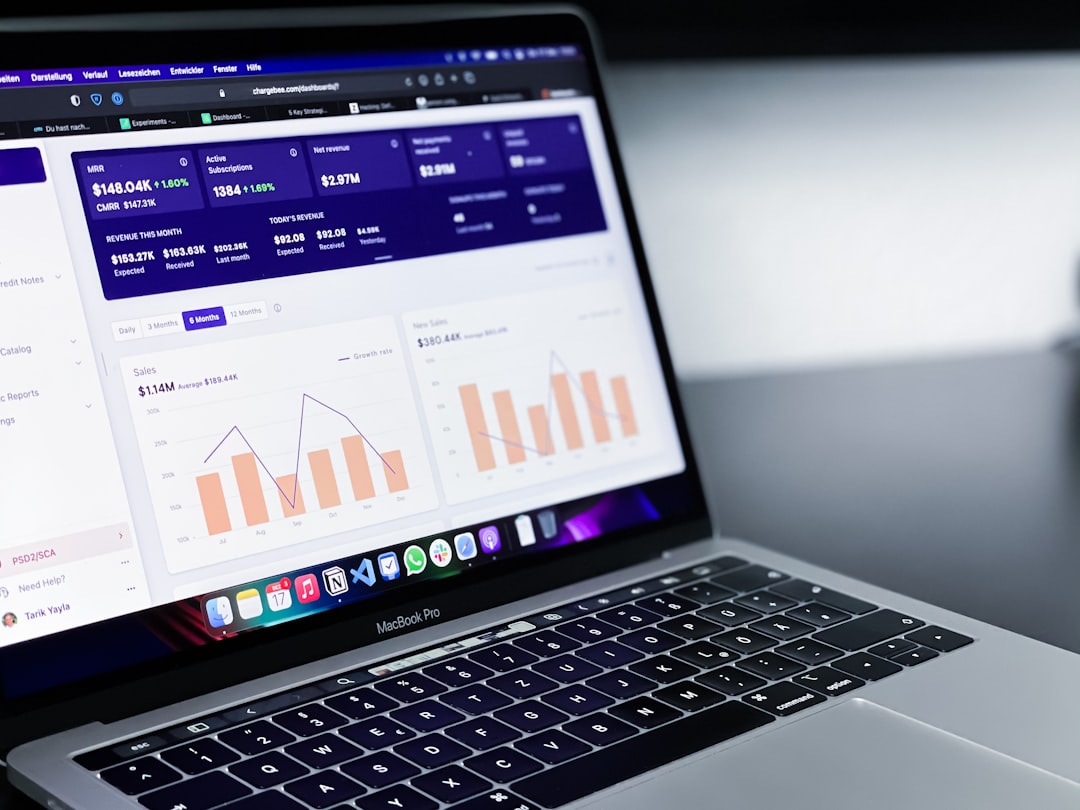
Dashboards can make this information more accessible by showing key metrics in visual formats. Exportable reports are also useful for board meetings, financial reviews, and strategic planning.
5. Communication Tools
Strong communication keeps members informed, engaged, and connected. Membership tracking software should include tools for sending email campaigns, newsletters, renewal reminders, announcements, and event updates.
Ideally, the system should allow organizations to send targeted messages to specific groups. For example, new members may receive onboarding content, while long-term members may receive loyalty updates or leadership opportunities.
Useful communication features include:
- Email templates for consistent branding and faster message creation.
- Automated sequences for onboarding, renewals, and follow-ups.
- Member segmentation for personalized communication.
- Delivery tracking to monitor opens, clicks, and engagement.
- SMS or text messaging for urgent reminders or event alerts.
When communication tools are built into the same system as member records, teams can create more relevant and timely outreach.
6. Member Self-Service Portal
A self-service portal allows members to manage their own information without contacting staff. This improves convenience and reduces administrative requests.
Through a portal, members may be able to update contact details, renew memberships, download invoices, register for events, access exclusive resources, and change communication preferences. The portal should be simple, mobile-friendly, and secure.
The member experience matters. If the portal is confusing or outdated, members may avoid using it. A clean interface encourages participation and gives members more control over their relationship with the organization.
7. Event Management Features
Many membership organizations host conferences, workshops, networking events, webinars, fundraisers, or local meetups. Built-in event management tools can save significant time.
Membership tracking software should support event registration, ticketing, attendance tracking, payment collection, waitlists, calendar listings, and automated event reminders. It should also connect event activity back to each member profile.
This connection is valuable because it helps staff see which members are most engaged. It can also reveal which events drive renewals, donations, or upgrades.
8. Integration Capabilities
No software operates in isolation. Organizations often use accounting systems, email platforms, customer relationship management tools, learning management systems, website builders, and marketing platforms. Membership tracking software should integrate with these tools to avoid duplicate data entry.
Common integrations include:
- Accounting software for financial reconciliation.
- Email marketing platforms for advanced campaigns.
- Website systems for online forms and member directories.
- Payment gateways for dues and event fees.
- Calendar tools for event scheduling.
- Learning platforms for training-based memberships.
Organizations should also check whether the software offers an API or automation options. This can be important for larger teams with custom workflows.
9. Ease of Use
Even feature-rich software can become a problem if staff members find it difficult to use. A good membership tracking platform should have an intuitive layout, clear navigation, helpful search tools, and simple workflows.
Ease of use affects adoption. If administrators can quickly learn the system, they are more likely to keep records updated and take advantage of advanced features. Training resources, documentation, onboarding support, and responsive customer service are also worth evaluating.
Before making a decision, organizations should request a demo or trial. This allows staff to test everyday tasks such as adding a member, processing a payment, creating a report, and sending an email.
10. Customization and Flexibility
Every membership organization has unique structures and processes. Some may offer tiered memberships, corporate memberships, student rates, family plans, or chapter-based access. Others may need certification tracking, volunteer records, continuing education credits, or donor management.
The software should be flexible enough to match these needs. Custom membership levels, configurable forms, personalized workflows, branded portals, and adjustable permissions can make a major difference.
However, customization should not make the system overly complicated. The best platforms balance flexibility with usability.
11. Mobile Access
Administrators and members increasingly expect access from phones and tablets. Mobile-friendly software allows staff to check records, manage event check-ins, send quick updates, and review reports while away from a desk.
For members, mobile access makes it easier to renew, register for events, update profiles, and view benefits. If the organization hosts in-person events, mobile tools can help with attendance tracking and real-time updates.

12. Security and Privacy Controls
Membership records often contain personal information, payment details, and communication preferences. Security should be a top priority when evaluating software.
Key security features include:
- Role-based permissions to control what each staff member can view or edit.
- Data encryption for information stored and transmitted.
- Secure payment handling through compliant gateways.
- Audit logs to track changes and user activity.
- Regular backups to protect against data loss.
- Privacy compliance tools for consent and communication preferences.
Organizations should ask vendors how data is stored, backed up, and protected. They should also confirm whether the platform supports relevant privacy regulations for their location and industry.
13. Scalability for Future Growth
The chosen software should support the organization not only today but also in the future. As membership grows, the system may need to handle more records, more transactions, more staff users, and more complex reporting.
Scalable software can accommodate additional chapters, membership levels, events, and integrations without requiring a complete platform change. Organizations should review pricing tiers carefully to understand how costs may increase as they grow.
14. Customer Support and Vendor Reliability
Reliable customer support is essential, especially during implementation, renewals, event launches, or payment issues. A vendor should offer clear support channels such as email, chat, phone, help centers, training videos, or dedicated account management.
Organizations should also evaluate vendor reputation, uptime history, product updates, and customer reviews. A strong vendor continues improving the platform and responds quickly when problems occur.
Final Thoughts
Selecting membership tracking software is an important decision that affects operations, revenue, and member satisfaction. The best solution should combine accurate data management, automation, secure payments, communication, reporting, and member self-service in a platform that staff can use confidently.
Organizations should begin by defining their must-have features, current challenges, and long-term goals. By comparing systems carefully and testing real workflows, they can choose software that supports stronger relationships and more efficient membership management.
FAQ
What is membership tracking software?
Membership tracking software is a digital platform used to manage member records, renewals, payments, communication, events, reports, and engagement history in one centralized system.
Who needs membership tracking software?
Associations, nonprofits, clubs, gyms, chambers of commerce, alumni groups, professional networks, and subscription-based communities can benefit from membership tracking software.
What is the most important feature to evaluate?
The most important feature is usually a reliable member database, because it supports renewals, communication, reporting, segmentation, and engagement tracking.
Should membership software include payment processing?
Yes. Built-in or integrated payment processing helps organizations collect dues, event fees, donations, and other payments more efficiently and securely.
How can software improve member retention?
It can improve retention through automated renewal reminders, personalized communication, engagement tracking, easy payment options, and better visibility into at-risk members.
Is cloud-based membership software better than desktop software?
Cloud-based software is often more convenient because authorized users can access it from different locations and devices. It also typically includes automatic updates and easier backups.
What should an organization check before buying?
An organization should evaluate features, pricing, ease of use, security, integrations, support quality, scalability, and whether the software fits its membership structure and daily workflows.

Comments are closed, but trackbacks and pingbacks are open.